What is speaker diarization?
Speaker diarization answers "who spoke when" in a recording. It splits the audio into turns and gives each voice a label, such as Speaker 1 and Speaker 2, without knowing who the people are. Combined with speech recognition, it turns a wall of text into a transcript where every line says who said it.
By VexaScribe Editorial · Published July 3, 2026 · Rewritten November 22, 2026
What diarization is
The output of diarization on its own is a list of time ranges and labels. Lined up with a transcript, it becomes the speaker column people actually read:
0.0s – 3.1s   SPEAKER_00
3.2s – 5.9s   SPEAKER_01
6.0s – 8.4s   SPEAKER_00

[0:00] SPEAKER_00: Thanks for making time before you open.
[0:03] SPEAKER_01: Of course. Mind the bikes.
[0:06] SPEAKER_00: How long has the shop been here?
The labels are only consistent within one recording: SPEAKER_00 in one file isn't the same person as SPEAKER_00 in the next. Turning labels into names is a separate step, done by a person or by identification.
Diarization vs identification, verification and recognition
| Task | Question | Output |
|---|---|---|
| Speaker diarization | Who spoke when? | Turns labelled Speaker 1, Speaker 2…, no names |
| Speaker identification | Which known person is this? | A name, matched against enrolled voice samples |
| Speaker verification | Is this the person they claim to be? | Yes or no, as in voice unlock |
| Speech recognition | What was said? | The words, with no speakers |
How it works
- Find the speech. A model marks where people are talking and where the speaker changes, including stretches where two people talk at once.
- Describe each voice. Every stretch of speech becomes a vector, an embedding, that captures what the voice sounds like rather than the words.
- Group the voices. Similar embeddings are clustered, one cluster per speaker. If the number of speakers is known in advance, it's given to this step.
Open-source pyannote.audio works this way. To get the words as well, it's paired with speech recognition; see Whisper speaker diarization.
How it's measured: diarization error rate
DER is the share of speech time that a system gets wrong. It adds up three kinds of error, divided by the total speech time:
- Missed speech: someone was talking and it wasn't detected
- False alarm: silence or noise marked as speech
- Speaker confusion: speech given to the wrong speaker
A DER of 17% means about a sixth of the speech time is wrong. Lower is better. What the pyannote team reports:
| Test set | pyannote 3.1 | community-1 |
|---|---|---|
| AMI, headset mics (meetings) | 18.8% | 17.0% |
| AMI, one distant mic (meetings) | 22.7% | 19.9% |
| CALLHOME (phone calls) | 28.5% | 26.7% |
| VoxConverse (debates, news) | 11.2% | 11.2% |
The same software scores very differently by recording: a phone call is much harder than headset microphones. The figures describe pyannote's open-source models, not VexaScribe; we don't publish a DER for our own service.
What makes it hard
- People talking over each other. Overlapping speech is where most errors come from.
- Short replies. "Yeah" or "right" is too short to describe the voice well, so it's often merged into the other speaker's turn.
- Similar voices, which can be merged into one speaker.
- One voice that changes, by moving away from the microphone or shouting, which can be split into two.
- Not knowing how many people there are. Telling the system the number, where you can, avoids many mistakes.
Where it's used
- Meeting notes that say who agreed to what
- Interviews for research and journalism, where quotes must be attributed correctly
- Podcasts, separating host and guest for show notes and subtitles
- Customer calls, separating agent and customer
- Subtitles that start a new caption when the speaker changes
Speaker labels in VexaScribe
Every file you upload is diarized automatically, in every language and on both tiers, and speaker labels never use minutes. Premium uses a dedicated speaker-identification model for more precise speaker labels.
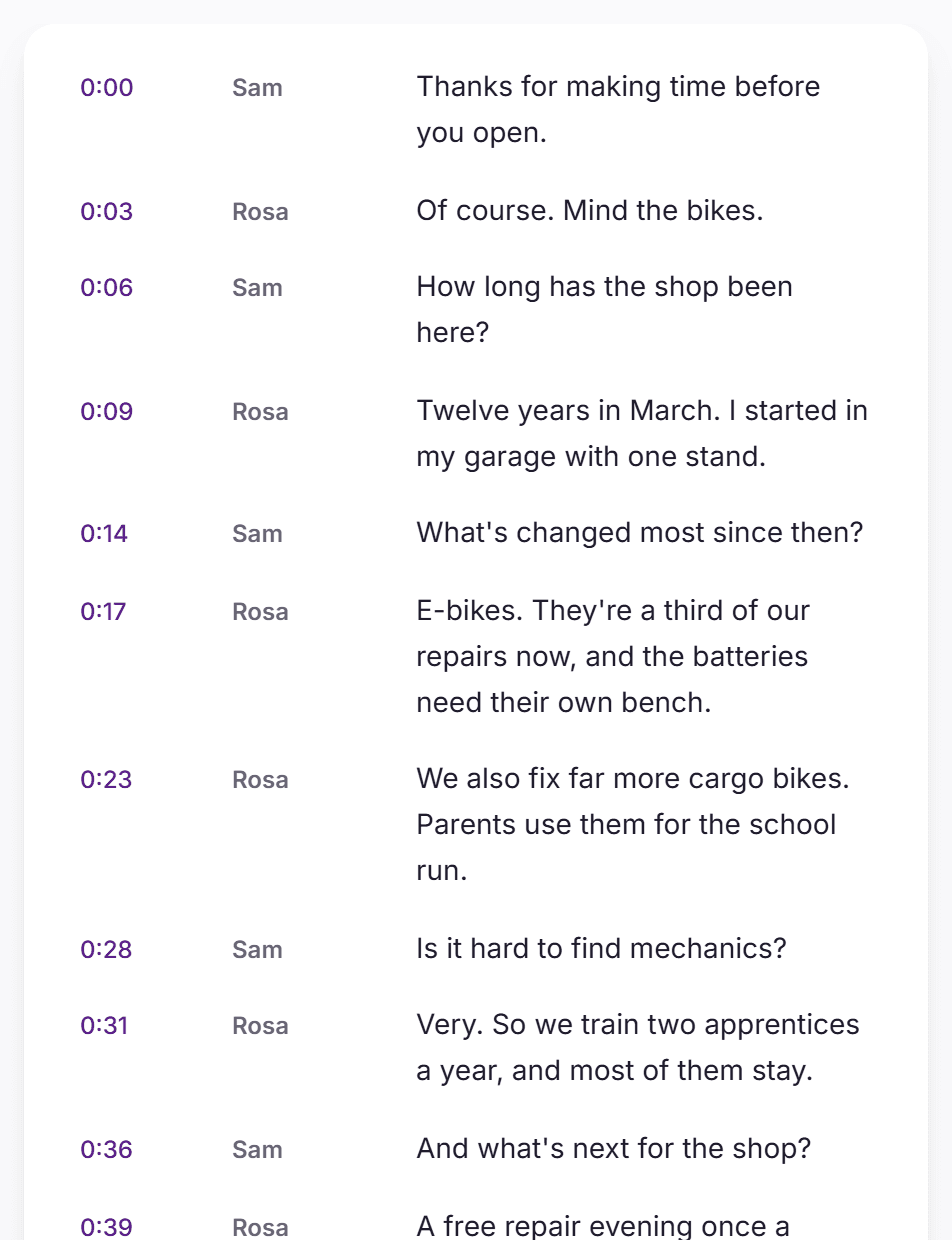
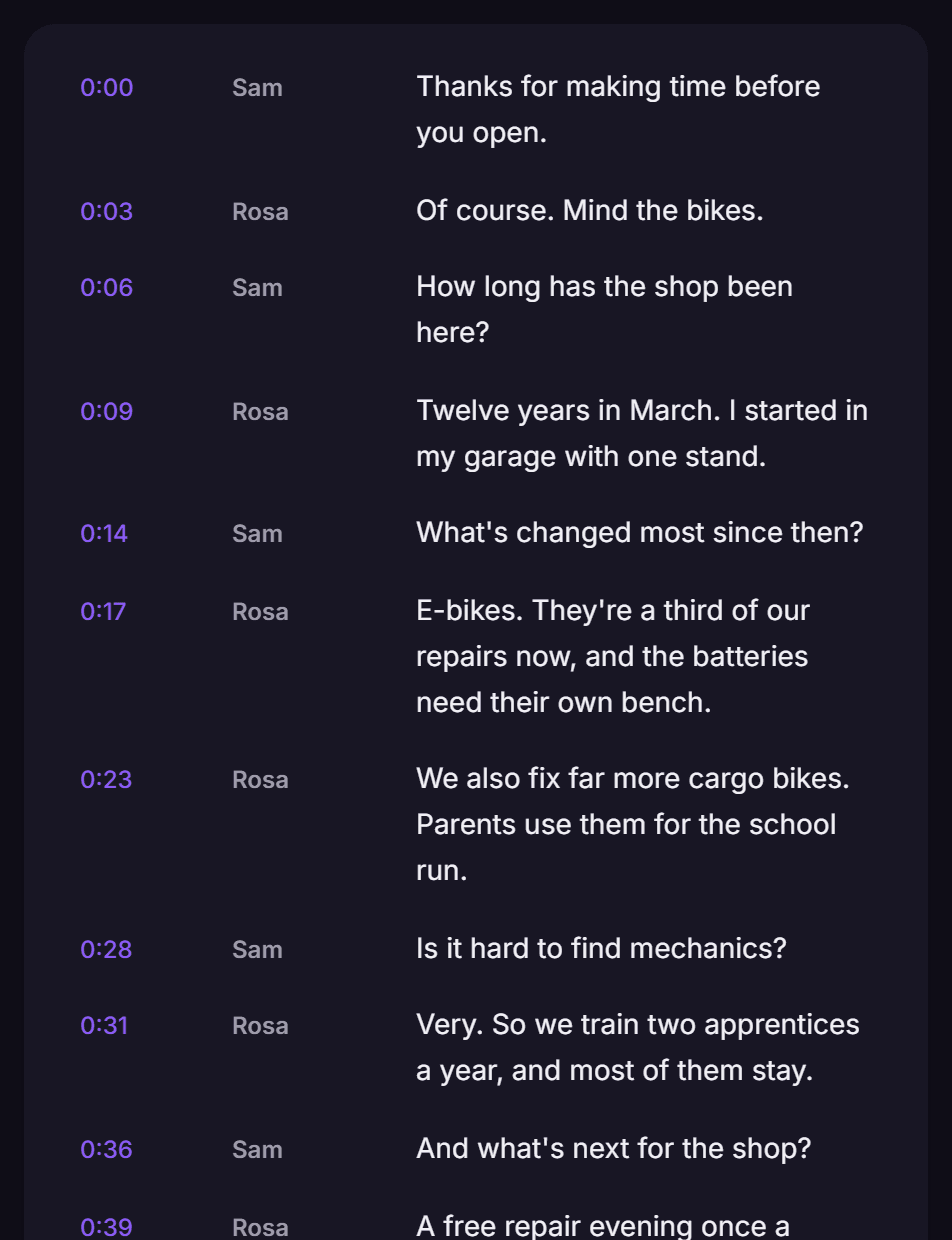
- Rename a speaker once in the editor and every line updates
- Exports carry the names:
Name: textin TXT and Word,[Name] textin SRT, voice tags in VTT, each of which you can switch off - YouTube, TikTok and Instagram links import the platform's captions instead, so they have one speaker; upload the file itself to get speaker labels
Try it on a recording with more than one voice. The first 5 minutes are free with no account.
Drop your audio file here
or click to browse
Audio: MP3 · WAV · M4A · AAC · OGG · OPUS · WMA · FLAC · AMR · AIFF
Video: MP4 · MOV · MPEG · WMV · AVI · MKV · WEBM · FLV · 3GP · M4V
Up to 200 MB · first 5 minutes free, no account
Sign up free for 30 minutes and files up to 5 GB, no card.
Sources
- pyannote.audio README: benchmark table, last updated September 2025
- pyannote.metrics: definition of diarization error rate
We didn't benchmark diarization ourselves. See our editorial standards.
Frequently Asked Questions
What is speaker diarization in simple terms?
Working out who spoke when in a recording. The audio is split into turns and each voice gets a label such as Speaker 1 or Speaker 2. It doesn't know names, and it doesn't write down the words; that's speech recognition.
What is the difference between diarization and speaker identification?
Diarization separates the voices in one recording and labels them anonymously. Identification matches a voice to a known person, using samples of that person's voice recorded beforehand.
What is DER?
Diarization error rate: the share of speech time a system gets wrong, adding up missed speech, false alarms and speech given to the wrong speaker. Lower is better; 17% means about a sixth of the speech time is wrong.
Does Whisper do speaker diarization?
No. Whisper writes down the words with timestamps but doesn't label speakers. Diarization needs a separate model such as pyannote.audio, or a tool that combines both, such as WhisperX.
How do I get a transcript with speaker labels?
Upload the recording to a transcription service that diarizes, or run Whisper with pyannote yourself. VexaScribe labels the speakers in every upload, lets you rename them, and keeps the names in TXT, Word, SRT and VTT exports.